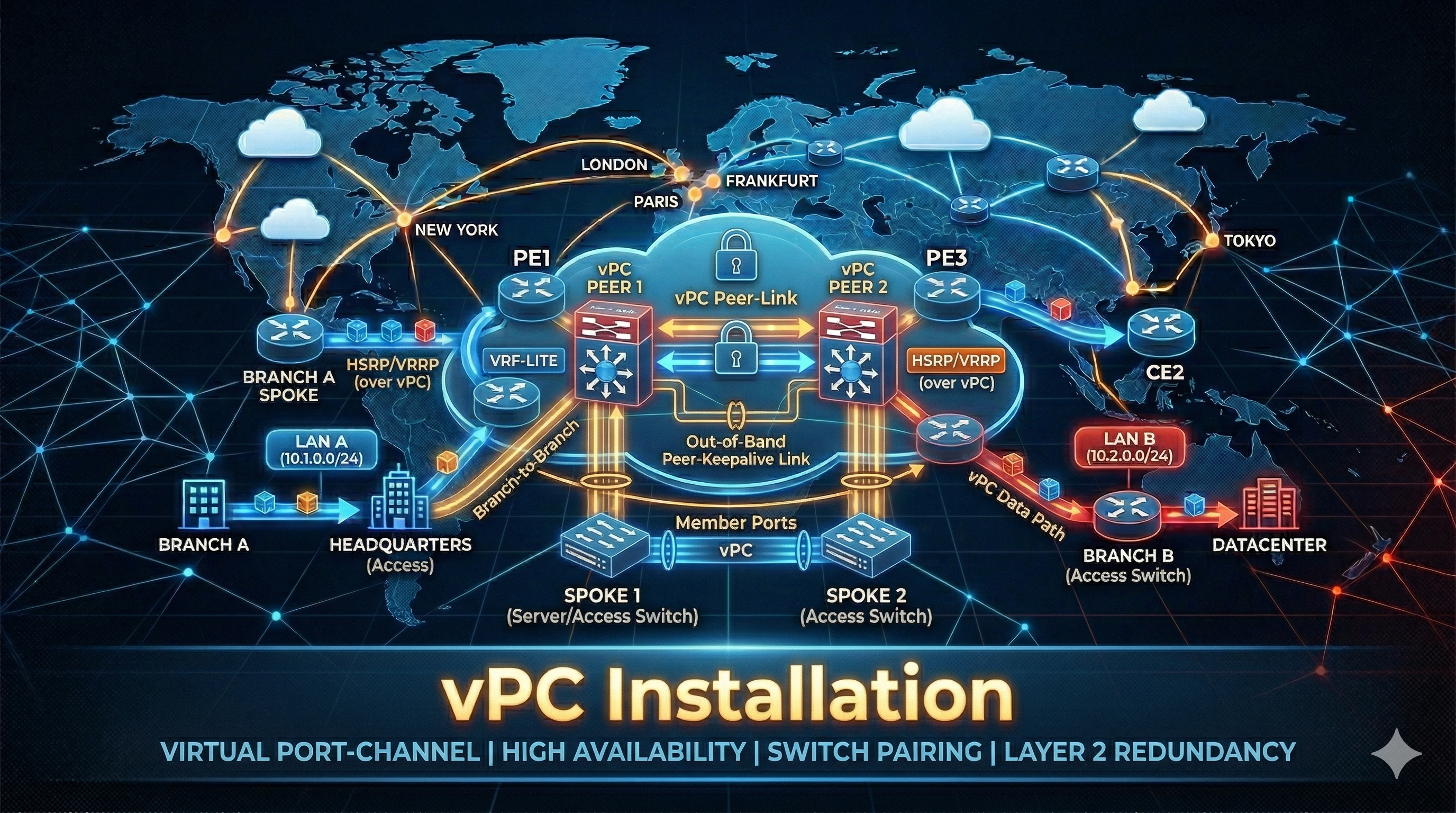
Virtual Port Channel (vPC) lets two Nexus switches appear as a single logical switch to downstream devices. Connected hosts or switches see one port-channel spanning both peers — if one peer fails, traffic continues through the other with no STP reconvergence.
Key components:
- vPC Peer Link — carries BPDUs, HSRP, control traffic, and orphan port traffic between the two peers. Always a port-channel with at least two 10G/40G/100G members
- vPC Peer Keepalive — a lightweight heartbeat (UDP 3200) used only to detect a dual-active (split-brain) scenario. Runs over a dedicated port-channel in a separate VRF — keeping it off the management plane for security and redundancy
- vPC Member Ports — port-channels on each peer that share a common
vpcID, forming a single logical channel to the downstream device - vPC Domain — the logical grouping that binds the two peers together
Topology
            ┌──────────┐       ┌──────────┐
            │  NEXUS-1 │       │  NEXUS-2 │
            │ (vPC Pri)│       │ (vPC Sec)│
            └──┬──┬──┬─┘       └─┬──┬──┬──┘
               │  │  │           │  │  │
    Keepalive──│──│──│───────────│──│──│──Keepalive
   (Po20/VRF)  │  │  │           │  │  │ (Po20/VRF)
               │  │  └───────────┘  │  │
               │  │   Peer Link     │  │
               │  │  (Po10: 2x40G)  │  │
               │  │                 │  │
               │  └────────┬────────┘  │
               │      vPC Member       │
               │     (Po100: 2x10G)    │
               │           │           │
               │      ┌────┴────┐      │
               │      │ SERVER  │      │
               └──────┤ / ToR   ├──────┘
                      └─────────┘
Addressing Reference
| Device | Interface | IP Address | Purpose |
|---|---|---|---|
| NEXUS-1 | Po20 (VRF VPC-KA) | 10.10.10.1/30 | Peer Keepalive |
| NEXUS-2 | Po20 (VRF VPC-KA) | 10.10.10.2/30 | Peer Keepalive |
| NEXUS-1 | Vlan100 | 172.16.100.2/24 | HSRP VIP gateway |
| NEXUS-2 | Vlan100 | 172.16.100.3/24 | HSRP VIP gateway |
| HSRP VIP | — | 172.16.100.1/24 | Default gateway |
Configuration
We’ll build this in order — each step depends on the previous one.
Step 1 — Enable Features
vPC requires a few features to be enabled first. Both peers need the same set.
NEXUS-1
feature vpc
feature lacp
feature interface-vlan
feature hsrp
NEXUS-2
feature vpc
feature lacp
feature interface-vlan
feature hsrp
Step 2 — Peer Keepalive Port-Channel & VRF
We use a dedicated port-channel in its own VRF for the keepalive — this isolates it from both the data plane and the management plane, giving better security and link redundancy.
NEXUS-1
vrf context VPC-KA

interface Ethernet1/3-4
  description vPC Keepalive
  channel-group 20 mode active
  no shutdown

interface port-channel20
  description vPC Keepalive
  no switchport
  vrf member VPC-KA
  ip address 10.10.10.1/30
  no shutdown
NEXUS-2
vrf context VPC-KA

interface Ethernet1/3-4
  description vPC Keepalive
  channel-group 20 mode active
  no shutdown

interface port-channel20
  description vPC Keepalive
  no switchport
  vrf member VPC-KA
  ip address 10.10.10.2/30
  no shutdown
Verify the keepalive link is up before proceeding:
NEXUS-1# ping 10.10.10.2 vrf VPC-KAStep 3 — vPC Domain
The domain ID must match on both peers. The keepalive points to the dedicated VRF.
role priority — the lower value becomes the vPC primary peer. If both are default (32667), the switch with the lower MAC wins.
NEXUS-1
vpc domain 1
  role priority 10
  peer-keepalive destination 10.10.10.2 source 10.10.10.1 vrf VPC-KA
  peer-gateway
  ip arp synchronize
NEXUS-2
vpc domain 1
  role priority 20
  peer-keepalive destination 10.10.10.1 source 10.10.10.2 vrf VPC-KA
  peer-gateway
  ip arp synchronize
What these do:
| Feature | Purpose |
|---|---|
peer-gateway |
Lets each peer route packets destined to the other peer’s router MAC — prevents hairpinning through the peer link when an upstream device caches a single HSRP MAC |
ip arp synchronize |
Syncs ARP tables between peers so the surviving peer can immediately route traffic after a failover |
At this point you should see:
NEXUS-1# show vpc peer-keepalive

vPC keep-alive status           : peer is alive
--Peer is alive for             : (xxxxx) seconds ...
--Send status                   : Success
--Receive status                : Success
Step 4 — Peer Link
The peer link is a port-channel between the two Nexus switches. Use at least two physical links for redundancy. Never shut this down in production.
NEXUS-1
interface Ethernet1/1-2
  description vPC Peer Link
  channel-group 10 mode active
  no shutdown

interface port-channel10
  description vPC Peer Link
  switchport
  switchport mode trunk
  switchport trunk allowed vlan all
  vpc peer-link
  no shutdown
NEXUS-2
interface Ethernet1/1-2
  description vPC Peer Link
  channel-group 10 mode active
  no shutdown

interface port-channel10
  description vPC Peer Link
  switchport
  switchport mode trunk
  switchport trunk allowed vlan all
  vpc peer-link
  no shutdown
After this, the vPC domain should form. Verify:
NEXUS-1# show vpc

vPC domain id                   : 1
Peer status                     : peer adjacency formed ok
vPC keep-alive status           : peer is alive
Configuration consistency status: success
Per-vlan consistency status     : success
Type-2 consistency status       : success
vPC role                        : primary
Step 5 — vPC Member Port-Channel
This is the actual downlink to the server or ToR switch. The vpc number must match on both peers — it does not need to match the port-channel number, but keeping them the same avoids confusion.
NEXUS-1
interface Ethernet1/10
  description to SERVER Po100 member
  channel-group 100 mode active
  no shutdown

interface port-channel100
  description vPC to SERVER
  switchport
  switchport mode trunk
  switchport trunk allowed vlan 100
  vpc 100
  no shutdown
NEXUS-2
interface Ethernet1/10
  description to SERVER Po100 member
  channel-group 100 mode active
  no shutdown

interface port-channel100
  description vPC to SERVER
  switchport
  switchport mode trunk
  switchport trunk allowed vlan 100
  vpc 100
  no shutdown
Step 6 — VLANs & SVIs with HSRP
Both peers need identical VLAN and SVI configuration. HSRP provides a single virtual gateway IP.
NEXUS-1
vlan 100
  name SERVERS

interface Vlan100
  no shutdown
  ip address 172.16.100.2/24
  hsrp 100
    ip 172.16.100.1
    priority 110
    preempt
NEXUS-2
vlan 100
  name SERVERS

interface Vlan100
  no shutdown
  ip address 172.16.100.3/24
  hsrp 100
    ip 172.16.100.1
    priority 100
    preempt
Note: The downstream device (server, ToR switch, etc.) just needs a standard LACP port-channel (
channel-group mode active) with members going to each Nexus peer. It has no awareness of vPC — configure it like any normal port-channel.
Verification
vPC Status
show vpc
show vpc brief
show vpc peer-keepalive
show vpc consistency-parameters global
show vpc consistency-parameters interface port-channel100
Port-Channel
show port-channel summary
show lacp neighbor
STP & HSRP
show spanning-tree vlan 100
show hsrp brief
Best Practices
- Peer link: minimum 2 members, ideally on different line cards/modules for hardware redundancy
- Keepalive: use a dedicated port-channel in its own VRF — never route it over the peer link or the management network
- Orphan ports: if a host connects to only one peer, consider
vpc orphan-ports suspendto avoid black-holing traffic during a peer link failure - MTU: keep consistent MTU across peer link, member ports, and SVIs — mismatches cause Type-1 inconsistency
- Spanning Tree: use
spanning-tree port type networkon the peer link andspanning-tree port type edge trunkon member ports going to servers - NX-OS upgrades: always use ISSU when possible — vPC peers can be upgraded one at a time without downtime