
Hi everyone, in this article I will guide you how to install Splunk Enterprise on Linux server and Universal Forwarder on Ubuntu Client.
Splunk is one of the best SIEM solution that stands out with its comprehensive, valuable and strong features. Splunk is a Cisco company which means it has a strong development background.
We can install and use Splunk for free with trial version.
Here is how to download and install.
Splunk Enterprise Installation
The first thing we should do is download the relevant installation file which is Splunk Enterprise.
Download Page: https://www.splunk.com/en_us/download.html

Once you click the button, you’ll shown several downloading way. I’m going to use copy method.
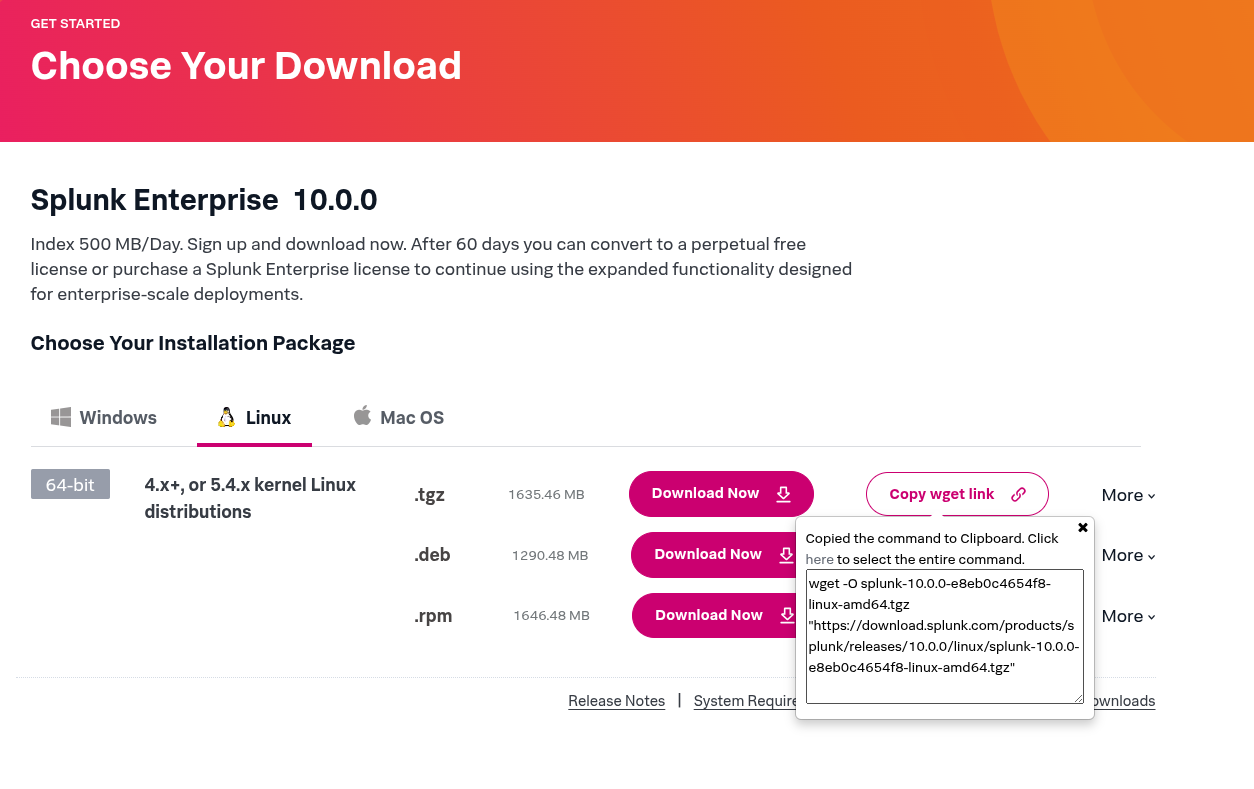
Basicially copy the command that begins with wget, then paste it in the terminal. Installation package is going to be downloaded.
Since the installation package has been downloaded, you’ll be able to see as follows.
ubuntu@ubuntu:~$ sudo wget -O splunk-10.0.0-e8eb0c4654f8-linux-amd64.tgz "https://download.splunk.com/products/splunk/releases/10.0.0/linux/splunk-10.0.0-e8eb0c4654f8-linux-amd64.tgz"
[sudo] password for ubuntu:
--2025-08-21 15:22:13--  https://download.splunk.com/products/splunk/releases/10.0.0/linux/splunk-10.0.0-e8eb0c4654f8-linux-amd64.tgz
Resolving download.splunk.com (download.splunk.com)... 2600:9000:243d:a600:1d:f9c1:d100:93a1, 2600:9000:243d:ca00:1d:f9c1:d100:93a1, 2600:9000:243d:1200:1d:f9c1:d100:93a1, ...
Connecting to download.splunk.com (download.splunk.com)|2600:9000:243d:a600:1d:f9c1:d100:93a1|:443... connected.
HTTP request sent, awaiting response... 200 OK
Length: 1714900912 (1.6G) [binary/octet-stream]
Saving to: ‘splunk-10.0.0-e8eb0c4654f8-linux-amd64.tgz’

splunk-10.0.0-e8eb0c4654f8-linu 100%[======================================================>]   1.60G  6.92MB/s    in 4m 0s

2025-08-21 15:26:13 (6.82 MB/s) - ‘splunk-10.0.0-e8eb0c4654f8-linux-amd64.tgz’ saved [1714900912/1714900912]

ubuntu@ubuntu:~$ ls
splunk-10.0.0-e8eb0c4654f8-linux-amd64.tgz
Next step you need to do is extract the files.
ubuntu@ubuntu:~$ sudo tar xvzf splunk-10.0.0-e8eb0c4654f8-linux-amd64.tgz -C /optIt’s going to take a little time. If you do not see any errors, you can start the Splunk server by typing this command.
ubuntu@ubuntu:~$ sudo /opt/splunk/bin/splunk start --accept-licenseThis appears to be your first time running this version of Splunk.
Splunk software must create an administrator account during startup. Otherwise, you cannot log in.
Create credentials for the administrator account.
Characters do not appear on the screen when you type in credentials.
Please enter an administrator username: superAdmin
Password must contain at least:
* 8 total printable ASCII character(s).
Please enter a new password:
Please confirm new password:
Copying '/opt/splunk/etc/openldap/ldap.conf.default' to '/opt/splunk/etc/openldap/ldap.conf'.
writing RSA key
writing RSA key
Moving '/opt/splunk/share/splunk/search_mrsparkle/modules.new' to '/opt/splunk/share/splunk/search_mrsparkle/modules'.
Splunk> 4TW
Checking prerequisites...
Checking http port [8000]: open
Checking mgmt port [8089]: open
Checking appserver port [127.0.0.1:8065]: open
Checking kvstore port [8191]: open
Checking configuration... Done.
Creating: /opt/splunk/var/lib/splunk
Creating: /opt/splunk/var/run/splunk
Creating: /opt/splunk/var/run/splunk/appserver/i18n
Creating: /opt/splunk/var/run/splunk/appserver/modules/static/css
Creating: /opt/splunk/var/run/splunk/upload
Creating: /opt/splunk/var/run/splunk/search_telemetry
Creating: /opt/splunk/var/run/splunk/search_log
Creating: /opt/splunk/var/spool/splunk
Creating: /opt/splunk/var/spool/dirmoncache
Creating: /opt/splunk/var/lib/splunk/authDb
Creating: /opt/splunk/var/lib/splunk/hashDb
Creating: /opt/splunk/var/run/splunk/collect
Creating: /opt/splunk/var/run/splunk/sessions
New certs have been generated in '/opt/splunk/etc/auth'.
New certs have been generated in '/opt/splunk/etc/auth'.
Checking critical directories... Done
Checking indexes...
Validated: _audit _configtracker _dsappevent _dsclient _dsphonehome _internal _introspection _metrics _metrics_rollup _telemetry _thefishbucket history main summary
Done
Checking filesystem compatibility... Done
Checking conf files for problems...
Done
Checking default conf files for edits...
Validating installed files against hashes from '/opt/splunk/splunk-10.0.0-e8eb0c4654f8-linux-amd64-manifest'
All installed files intact.
Done
All preliminary checks passed.
Starting splunk server daemon (splunkd)...
Using configuration from /opt/splunk/share/openssl3/openssl.cnf
..................+....+++++++++++++++++++++++++++++++++++++++++++++++++++++++++++++++++*..+......+++++++++++++++++++++++++++++++++++++++++++++++++++++++++++++++++*....+..+...+.......+...+..................+..+....+.....+....+.........+......+.........+..+....+...........+...+.+......+...+........+....+..............+.......+...+..+.........+....+.....+.+.........+.........+..+.+..+.+.....+......+...+...+...+......+.+.........+...+........+...+....+..+....+..+.............+..+...+.......+........+..........+.....+................+.....+.+.....+.......+.................+.+..+.......+...+.....+...+...............+....+...+...+.........+.....+....+..............+.......+.....+.+.....+.......+...+..+...............+......+....+...+..............+................+...+............+..+......+......+.+.....+.......+..+...+.......+...+......+.........+.....+.......+.....+.........+.+.........+..+....+...............+...+..+................+...+..+............+.+.........+...+..+++++++++++++++++++++++++++++++++++++++++++++++++++++++++++++++++
.......+.+.........+...+...+......+.....+.+.....+..........+..+......+.+......+.....+++++++++++++++++++++++++++++++++++++++++++++++++++++++++++++++++*..........+.+++++++++++++++++++++++++++++++++++++++++++++++++++++++++++++++++*..+......+.........+......+............+........+.+......+.........+.....+.+..+.+..+.......+.....+................+..+.........+...+.+......+...+........+...+.+.........+..+.......+...+..................+.....+.+...+...............+...+...............+..+...+...............+....+......+...+......+.........+..............+.+......+.....+.+.....+...+.+..................+..+....+.................+..........+..+...+...+....+..+.+..+.......+.....+......+...+............+..........+...+..+...+..........+..+....+.....+...+.+......+...+........+....+......+...+............+..............+.............+...+...+.....+......+.+..............+...+......+...................+..+.........+.+.....+...+.+..............+...+...+............+.......+.....+...+....+.....+....+......+...+...+.......................+......+...+.......+...+........+....+.....+....+..+.......+...+..+............+...+......+.+...+...+..+...+...+.+...+...........+.+...........+....+.....+.+..+++++++++++++++++++++++++++++++++++++++++++++++++++++++++++++++++
Warning: ignoring -extensions option without -extfile
Certificate request self-signature ok
subject=CN = ubuntu, O = SplunkUser
Done
Waiting for web server at http://127.0.0.1:8000 to be available............. Done
If you get stuck, we're here to help.
Look for answers here: http://docs.splunk.com
The Splunk web interface is at http://ubuntu:8000Splunk is running now. You can start to use it going to the URL that given to you.
The Splunk web interface is at http://ubuntu:8000If you struggle with reaching out web interface, use IP address of the server as follows.
http://Server-IP:8000/

http://192.168.1.49:8000/
Login by typing Username and Password that you’ve set during the installation.
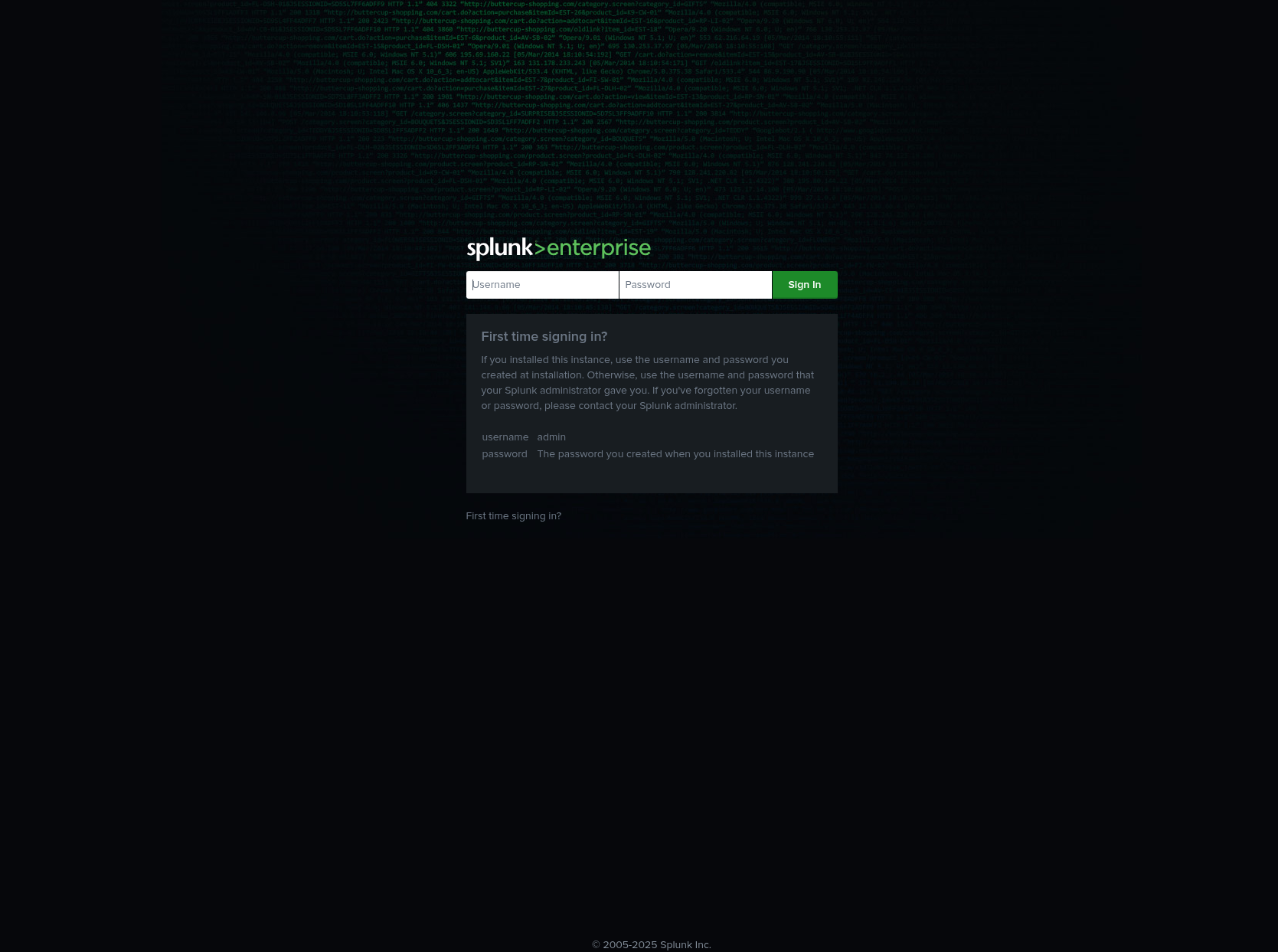
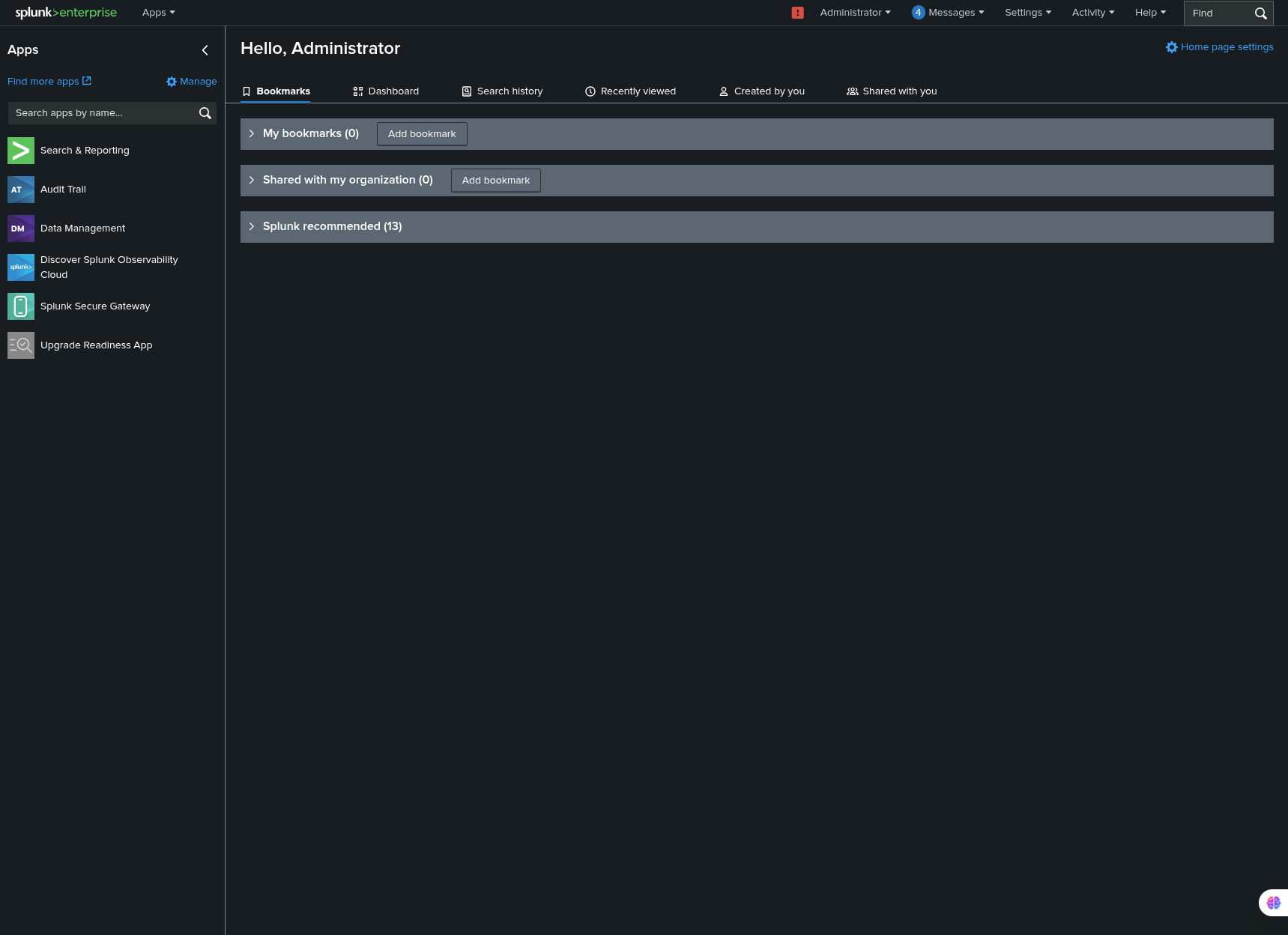
That’s all in terms of basic installation.
Thank you for taking time to read this article, I hope you will find it helpful.
Keep up the great work!