
Hi everyone, in this article I will guide you through how to integrate Fortigate firewall with the Wazuh SIEM tool for centralized logging and monitoring.
Fortigate is one of the best firewall solutions used in networks of all sizes worldwide. Wazuh is also one of the best open-source SIEM platforms available.
In this article, I will show you how to send Fortigate logs to the Wazuh SIEM platform to centralize all environment logs in one location.
The integration will be done in the following steps:
Fortigate Configuration
Navigate to Log & Report > Log Settings in your Fortigate web interface.
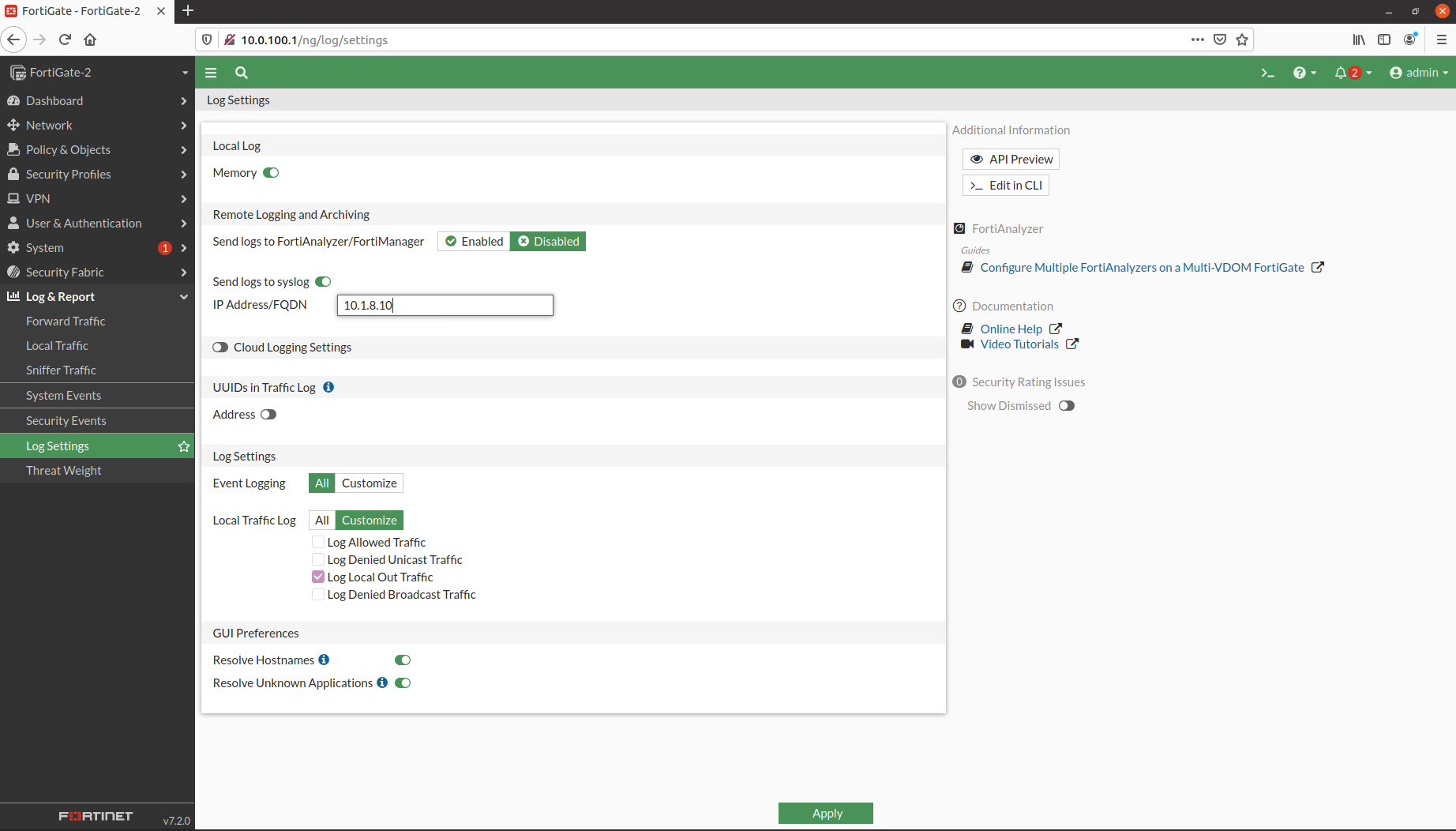
That’s all we need to configure on the Fortigate side.
Wazuh Server Configuration
Now it’s time to configure Wazuh to listen for Fortigate syslog packets.
Add these lines to the Wazuh ossec.conf file:
File location: /var/ossec/etc/ossec.conf
<remote>
  <connection>syslog</connection>
  <port>514</port>
  <protocol>udp</protocol>
  <allowed-ips>10.1.8.1</allowed-ips>               # Fortigate IP
  <local_ip>10.1.8.10</local_ip>                    # Wazuh Server IP
</remote>
Restart the Wazuh service to apply the changes:
sudo systemctl restart wazuh-managerVerification
Use the following command to verify that Fortigate logs are successfully reaching the Wazuh server:
tcpdump -n -i eth0 udp port 514You should see UDP packets coming from your Fortigate IP address.
Thank you for taking the time to read this article. I hope you found it helpful!
Keep up the great work!